


Do you remember what you were doing on November 30, 2022? Doubtful.
For two meetings-industry veterans, though, the memory is burned into their minds; that was the day OpenAI released its pioneering ChatGPT platform, and these planners were ready to dive in.
Today, AI is embedded in their processes, a powerful partner that handles complex tasks, saves time and even delivers creative ideas. Here how these two meetings experts started out using AI, how they are using it now, and what they’ve learned that other planners can benefit from—their strategies, preferences and advice for using AI in event coordination, marketing, execution and post-event analysis.
Heather Munnell, Senior Director, Client Experience & Strategy, VDA
At the experiential event agency VDA, Munnell started using AI in late 2022 to develop attendee personas for her clients’ events so session tracks, session formats, networking opportunities, attendee activations and other elements are built to deliver the most value to each participant.
AI takes minutes rather than days to analyze attendee data from previous events, refine the attendee personas and then build schedules, sessions, and experiences for each persona at the next event.

In the beginning, Munnell’s team was downloading to ChatGPT her Excel files along with event-app data from recent meetings. The purpose: “Break things out by what attendee types went to which sessions, to determine how strongly their choices correlated with job title and other elements of a persona, or did not.”
Those results are often surprising. “We might see that a lot of salespeople went to technology-track sessions or that HR people went to sales sessions,” Munnell said. “Once you discover that kind of crossover happening, you can ask AI to refine your existing personas from the data and create other possible paths for each persona to take through the event.”
Specifically, AI can build an improved meeting agenda by minimizing conflicts for attendees during concurrent sessions, and even revising session lengths.
A granular example from Munnell: If a planner wants to run six concurrent tracks between 10 a.m. and 1 p.m. but the data shows that some topics hold attendees’ interest for 50 minutes, some for 30 minutes and some for 20 minutes, the platform can build a schedule that staggers sessions so each attendee persona can make the most of their time. AI can also determine which sessions need to be repeated at other times, and where those repeats would best fit the schedules of targeted personas.
“AI is automating work that is pretty difficult to do manually,” she said.
[Related: Encore's Amanda Armstrong: Use Technology to Ignite the Senses and Impact Attendees]
AI can also help planners build a more holistic event experience. Munnell uses it to build networking activities and even wellbeing plans for like-minded attendees.
“You can ask it to provide different ways to use gamification effectively with each persona,” she said, “and to create enticing menus for people with dietary restrictions using the ingredients your host property says it can most easily get.”
Three years into her AI odyssey, Munnell and her team use AI for much more. “We’ve realized how much more data we can put into it, so now it’s about all the different kinds of things we're asking it to do,” she noted.
“It’s not about just dumping in a spreadsheet anymore. We're giving it more thought-based information, such as our weekly department meeting notes from the whole year as well as unstructured data from other internal teams,” Munnell said. “I’ll do that and ask AI, ‘What proposed initiatives did we miss from the past six months, things that we haven't completed?’ That’s really helping us to strategize better.”
For client work, “the stage-rendering opportunities are really amazing,” she added. “You can get great conceptual ideas and images and move the process along quickly. For instance, perhaps you want custom lettering, you need to have branding in a certain spot, and you want a certain type of LED screen. You can put all that into a couple of prompts in Midjourney or Canva and it gives you visual renderings. We’re able to ideate with clients at a much higher level than ever before.”
Along the way, Munnell’s team has figured out a process that allows them to maximize AI’s usefulness for specific event-planning tasks: Find out which AI platform handles each task the best for your needs and get everyone on the team on board with it.
“I love Perplexity for client and other research, because it gives you links to its sources so you can fact-check or dig deeper,” Munnell noted. “And Canva is very good for PowerPoint presentations because you can template your own brand guidelines and establish a consistent brand voice. And you might want to create floor plans using Social Tables or Cvent.
"But the bottom line is this: Whatever platform you decide on for a given task, get everyone using it for that," she added. "You’ll have consistency with everything you produce, because the more you use [the paid version of] a platform, the more it learns your organization’s style. And you’ll save an incredible amount of time.”
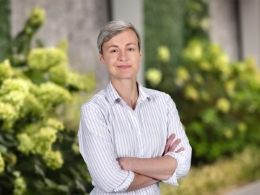
Beth Surmont, Head of Strategy & Design, 360 Live Media
A 26-year industry veteran, Beth Surmont works mostly with associations to build strategic frameworks for conferences: developing educational themes, sharpening the focus of content, choosing who will deliver it and selecting session formats. She also must find networking session formats that will work best for a specific audience.
A few months after ChatGPT’s November 2022 launch, Surmont began paying for the upgraded version that saves prompt threads so planners can build on previous sessions. But when Spark, the AI platform built for the event-planning industry by PCMA and event-tech firm Gevme, was released in spring 2023, Surmont found that its built-in task prompts and the datasets it’s trained on were well suited for her needs. Spark became her primary AI tool.
“From that time until about mid-2025, I was doing mostly the same things with it,” Surmont said. “Then I learned about building my custom GPTs for projects, and that was a game-changer.”
To create such an “assistant” through OpenAI's GPT Builder, planners must define a project’s purpose, add data and knowledge files, and configure its skills (like browsing or image generation). The result: a GPT geared to a specific task, becoming smarter and more attuned to the preferred brand voice every time it receives more data or knowledge.
[Related: What Planners Should Know About Using AI to Create Authentic Messaging]
Surmont’s team built a custom GPT that gives them a huge head start in developing a strategic plan for any event.
“We feed it information about the particular association, the latest market trends, customer needs and preferences along with industry data from IBISWorld research reports,” Surmont noted. “Then, we have the GPT complete a PESTLE analysis [political, economic, social, technological, legal and environmental] that covers issues affecting the client’s industry, and have it provide links to its sources to eliminate hallucinations.”
Another task for which Surmont built a custom GPT that’s now used by the entire team: Rewriting emails to the boss.
“I tend to write too much, and he likes short, direct emails,” she said. “Now I just write everything that’s in my head and put it into the GPT, and it presents the information in a very specific format that we’ve established. Our boss loves it, and we’re not spending time editing emails.”
As for other AI tools, Surmont finds Pictory to be quite useful for a few important tasks. Pictory is video-creation application that turns articles, scripts or long videos into short-form videos with visuals, voiceovers and captions, for social media and other marketing uses.
“It’s very interesting because you can basically type your specific messaging into the prompt and it will make relevant videos using stock footage,” Surmont said. “It also has a new tool where it will cut down a longer video to 10-second, 30-second or 60-second bites for social media.
“Planners should understand how easy these tools make it to repurpose content and extend the length of events,” she added. “That used to take a ton of effort. Now, you can take session recordings or even transcripts and turn those into, say, a 10-minute podcast or a three-minute summary video. And you can train it for your style preferences and brand voice.”
Overall, Surmont uses the paid versions of several applications. “Our company has a shared workspace for ChatGPT and we have Microsoft Copilot,” she said. “And I have my own account for Spark and for Pictory.
“But I also dabble with the free versions of Perplexity and Claude,” Surmont added. “And I'm hearing that Google Notebook LM is really effective for synthesizing information from all different sources you can input, even videos.” The application then identifies connections, generates summaries and presents insights from everything it’s fed.
“As you see, there are tools that are best right now for specific things, like for research, writing or video,” Surmont said. “At the moment, ChatGPT seems to be the workhorse that’s able to do the most across different things, so that's mainly why we're using it so much. But these applications change fast—what might come out next year? It's a big race, and now Google is involved. So, I can easily imagine my preferences changing.”