


Since I started writing this LinkedInsights column last September, we’ve covered how to build a LinkedIn profile that earns trust; how LinkedIn’s AI shifted from counting clicks to reading your content; and how to translate the experiential value you create as a meeting planner into language the algorithm recognizes.
Now, it’s time for the strategy that ties all of that together: Commenting. And I’ve been teaching it for six years.
I Learned This Offstage
For years, I hosted technology conferences around the world: Sydney, Berlin, Helsinki, Buenos Aires, Las Vegas. I’d deliver the keynote, share the big ideas, work the room from the stage. But the keynote was never where the real work happened.
In Bariloche, Argentina, I delivered a presentation entirely in Spanish, which got everybody’s attention. But the impact came when I sat down with the audience before and after the session and we got into the specific challenges; the nuances you can’t address in a speech. That’s where relationships formed. That’s where deals started.
The keynote opened the door; the conversation walked through it.
LinkedIn works the same way. A post is the keynote, and the comment section is where you sit down and dig into it. I wrote about this in my very first newsletter back in December 2019, and my argument then was the same as it is now: People keep asking the wrong question.
They want to know how often they should post. The better question, however, is how often they should be commenting on other people’s posts.
Six years later, LinkedIn’s own AI, 360Brew, has validated that position. I wasn’t reacting to 360Brew; 360Brew caught up to what I’d already been teaching.
[Related: Teaching LinkedIn’s AI Software to Recognize Meeting Planner Success]
How to Reach a Larger Audience
When you publish a post, LinkedIn shows it to a small fraction of your followers and waits to see if it gains traction. When you comment on someone else’s post, you appear in front of their audience—people who are already engaged, already interested in that topic, who have never heard of you. The research shows comments reach roughly 30% of an audience, compared to about 10% for original posts. That’s a three-to-one advantage.
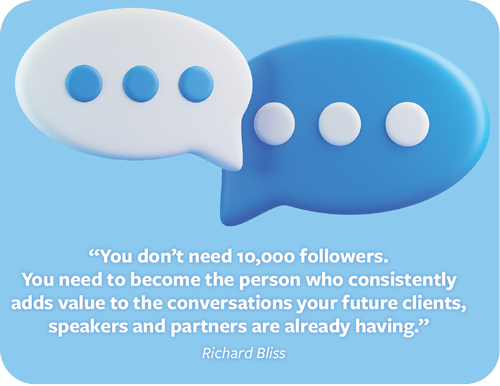
You don’t need 10,000 followers. You need to become the person who consistently adds value to the conversations your future clients, speakers and partners are already having.
[Related: Why LinkedIn’s Recent Algorithm Shift Changes Everything for Meeting Planners]
The Bad Habit You Learned on Facebook
A few hours before I wrote this column, I was on a coaching call with a client. I pulled up their recent LinkedIn activity. The last dozen comments they’d left were nothing but “Congratulations” repeated over and over. Twelve comments. Twelve identical missed opportunities.
This happens because people think the only person seeing their comment is the person they’re congratulating. On Facebook, that’s mostly true. But on LinkedIn, every comment you leave gets carried into the feeds of your network. You just stood up in front of your entire professional audience and said “Congratulations” with no context. Twelve times.
People import social media habits onto a business platform and don’t realize the opportunity they’re wasting. On LinkedIn, substance wins. One thoughtful comment outperforms a dozen empty reactions.
In my next column, I’ll show you exactly how to write comments that build relationships, demonstrate expertise and get you discovered by people who’ve never heard your name.
Connect with Richard on LinkedIn.
Read more Best Practices and Checklists content from Meetings Today